


Quick Add with AI
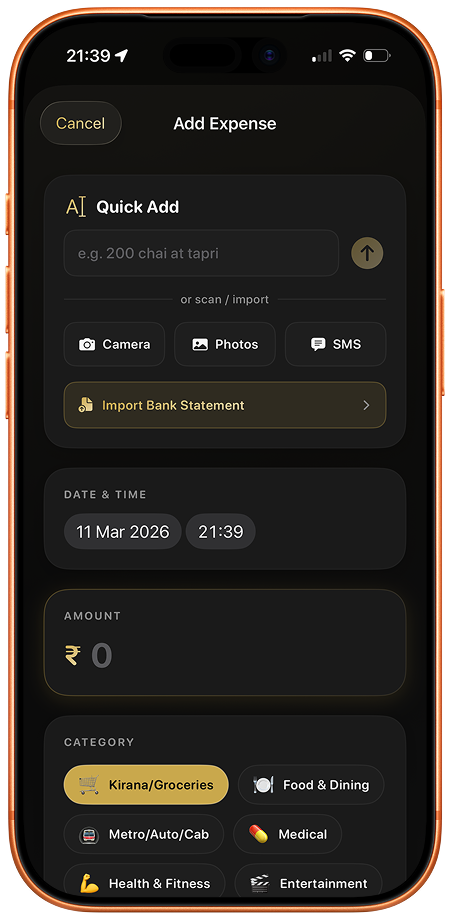
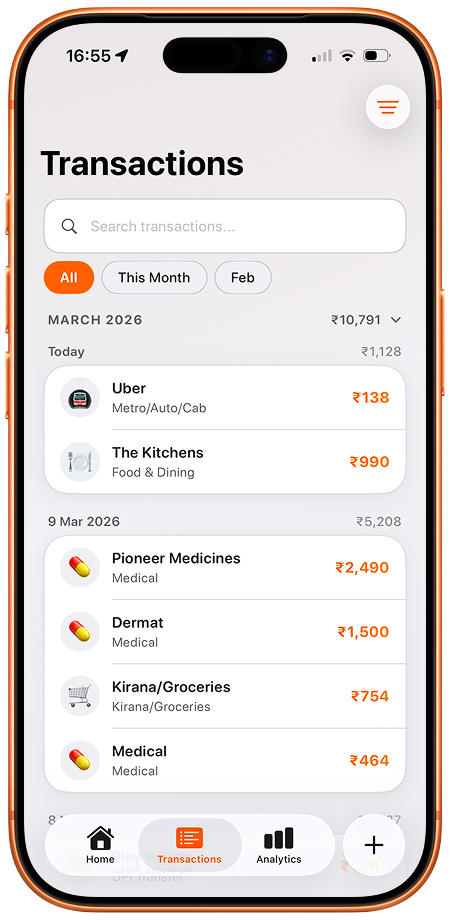
Type "450 uber to office" or "80 chai tapri" and Ruply auto-fills the amount, category, merchant, and payment method. No dropdowns, no forms — just type naturally.
Type "450 uber to office" or "80 chai tapri" and Ruply auto-fills the amount, category, merchant, and payment method. No dropdowns, no forms — just type naturally.
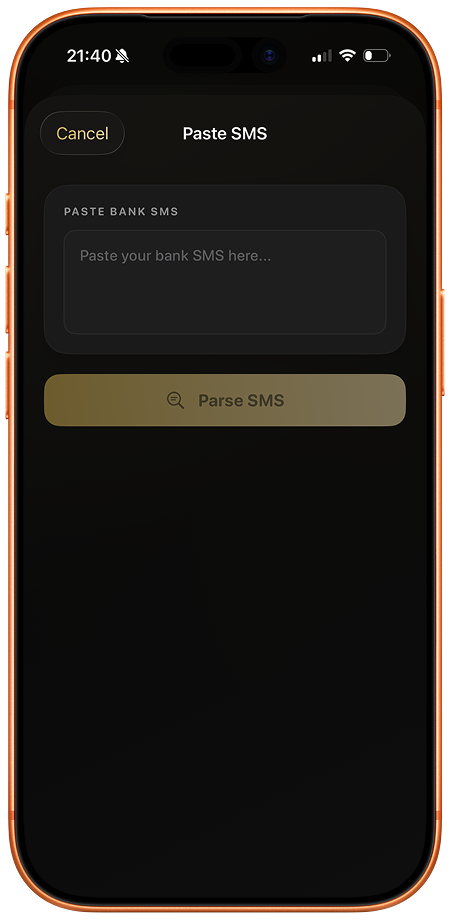
Share a bank SMS and Ruply instantly extracts the amount, merchant, and date. Works with all major Indian banks — HDFC, ICICI, SBI, Axis, Kotak, and more.
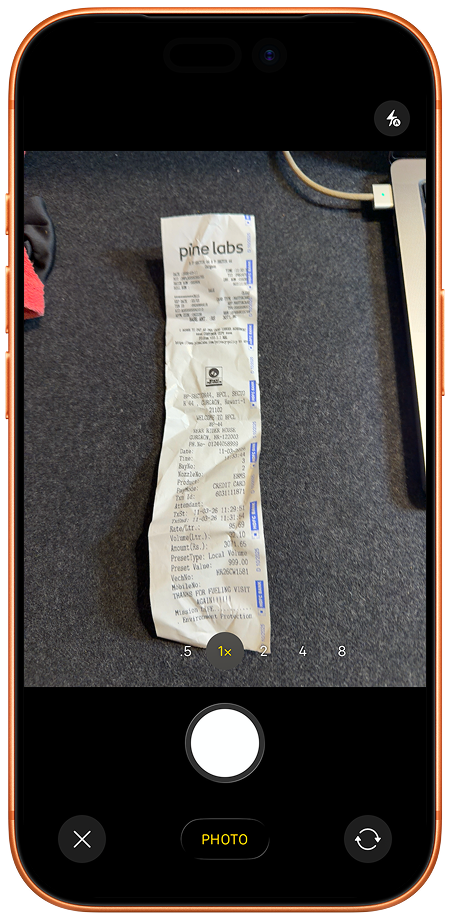
Snap a photo of any bill or receipt. AI reads the total, merchant name, and date — auto-fills your expense in seconds.
Upload a CSV bank statement and Ruply parses every transaction, categorizes them, and lets you review before adding.
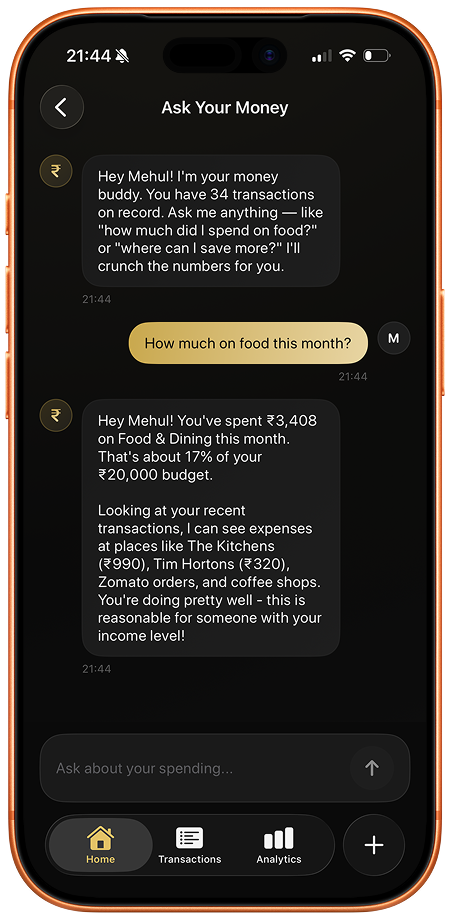
Ask questions about your expenses in plain English — "How much did I spend on food this month?" or "What's my biggest expense in February?"
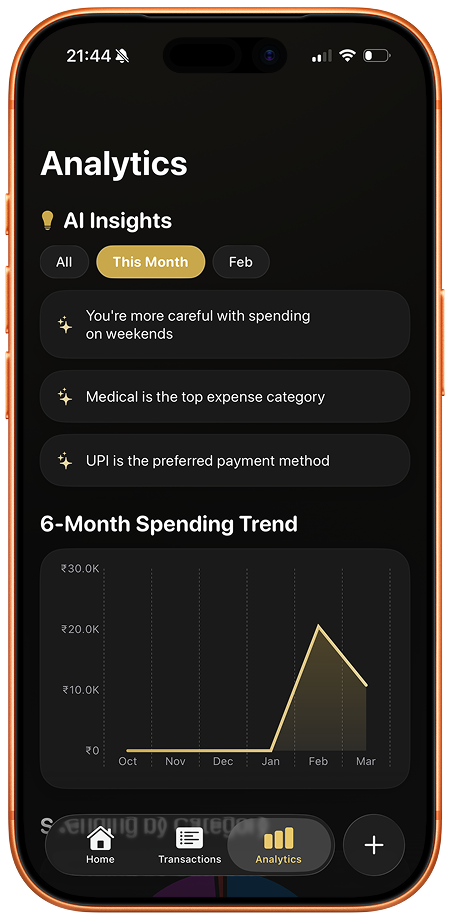
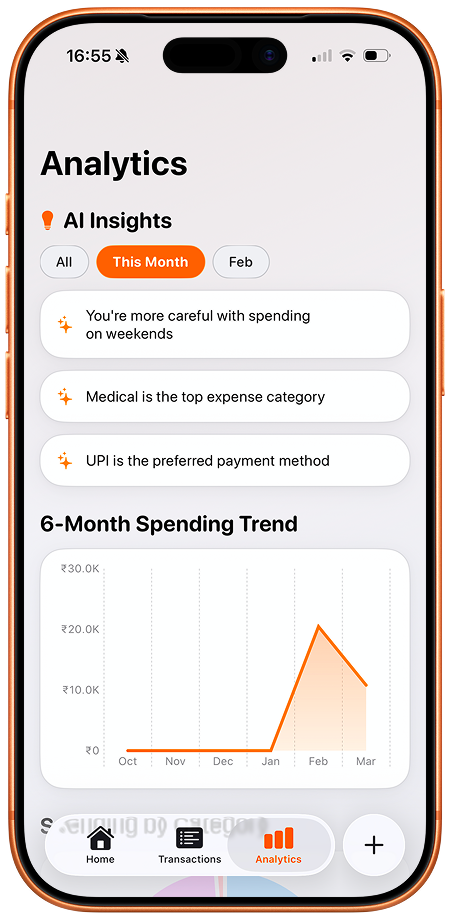
See your spending by category, payment method, and month. Find your biggest expenses and get AI-powered insights about your habits.
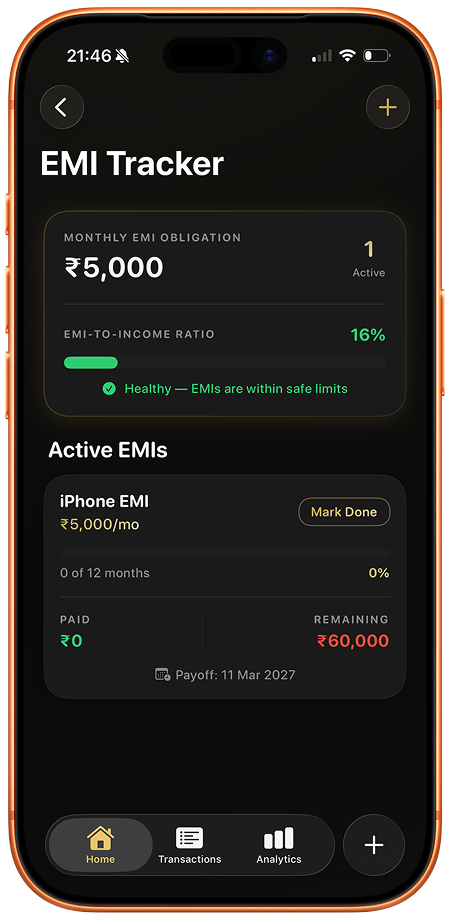
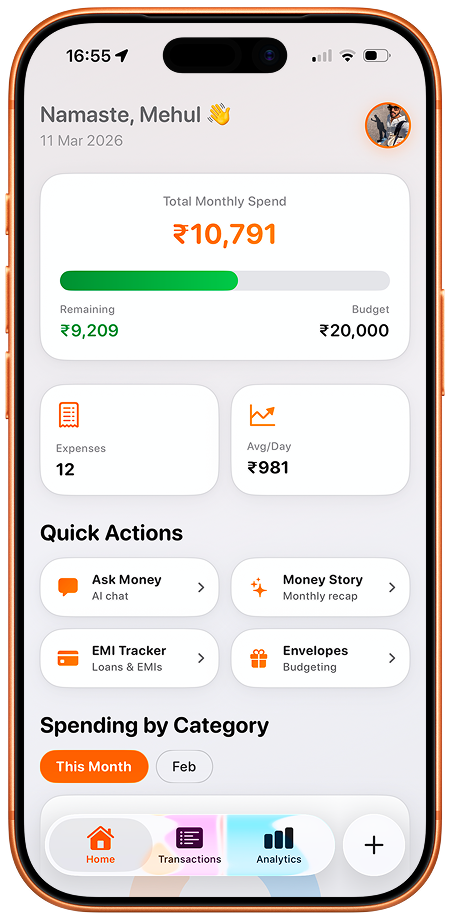
Track your active EMIs with remaining amounts, next due dates, and total interest paid.
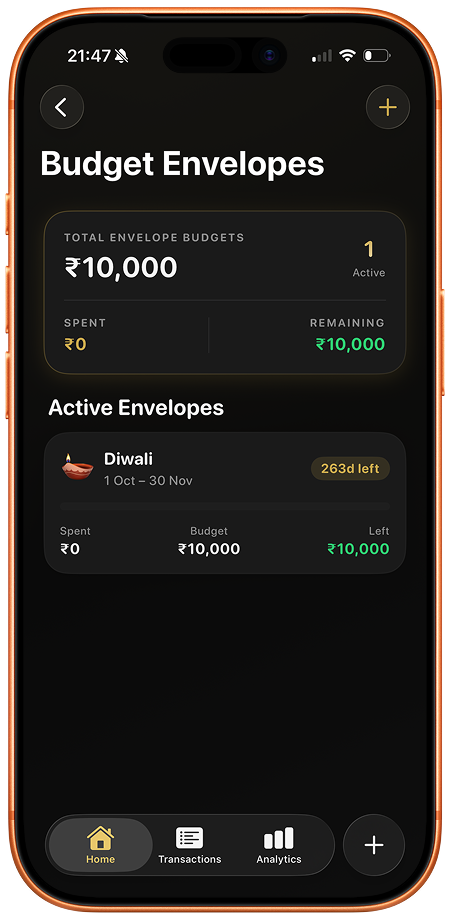
Allocate money to envelopes (Groceries, Eating Out, Travel) and track how much is left. A simple way to stick to your budget.
All data stays on your iPhone and syncs via your personal iCloud
No account creation, no sign-ups — just open and start tracking
AI features send only the text you type (never your full expense history) to
process it
Switch phones? Sign in with the same Apple ID and everything is there

Designed and developed by Mehul Bhargava.
Type "450 uber to office" or "80 chai tapri" and Ruply auto-fills the amount, category, merchant, and payment method. No dropdowns, no forms — just type naturally.
Share a bank SMS and Ruply instantly extracts the amount, merchant, and date. Works with all major Indian banks — HDFC, ICICI, SBI, Axis, Kotak, and more.
Snap a photo of any bill or receipt. AI reads the total, merchant name, and date — auto-fills your expense in seconds.
Upload a CSV bank statement and Ruply parses every transaction, categorizes them, and lets you review before adding.
Ask questions about your expenses in plain English — "How much did I spend on food this month?" or "What's my biggest expense in February?"
See your spending by category, payment method, and month. Find your biggest expenses and get AI-powered insights about your habits.
Track your active EMIs with remaining amounts, next due dates, and total interest paid.
Allocate money to envelopes (Groceries, Eating Out, Travel) and track how much is left. A simple way to stick to your budget.
All data stays on your iPhone and syncs via your personal iCloud
No account creation, no sign-ups — just open and start tracking
AI features send only the text you type (never your full expense history) to process it
Switch phones? Sign in with the same Apple ID and everything is there
Designed and developed by Mehul Bhargava.
Type "450 uber to office" or "80 chai tapri" and Ruply auto-fills the amount, category, merchant, and payment method. No dropdowns, no forms — just type naturally.
Share a bank SMS and Ruply instantly extracts the amount, merchant, and date. Works with all major Indian banks — HDFC, ICICI, SBI, Axis, Kotak, and more.
Snap a photo of any bill or receipt. AI reads the total, merchant name, and date — auto-fills your expense in seconds.
Upload a CSV bank statement and Ruply parses every transaction, categorizes them, and lets you review before adding.
Ask questions about your expenses in plain English — "How much did I spend on food this month?" or "What's my biggest expense in February?"
See your spending by category, payment method, and month. Find your biggest expenses and get AI-powered insights about your habits.
Track your active EMIs with remaining amounts, next due dates, and total interest paid.
Allocate money to envelopes (Groceries, Eating Out, Travel) and track how much is left. A simple way to stick to your budget.
All data stays on your iPhone and syncs via your personal iCloud
No account creation, no sign-ups — just open and start tracking
AI features send only the text you type (never your full expense history) to process it
Switch phones? Sign in with the same Apple ID and everything is there
Designed and developed by Mehul Bhargava.