NATIVE MACOS 26 · MENU-BAR MONITOR
Know exactly why your Mac is slow.
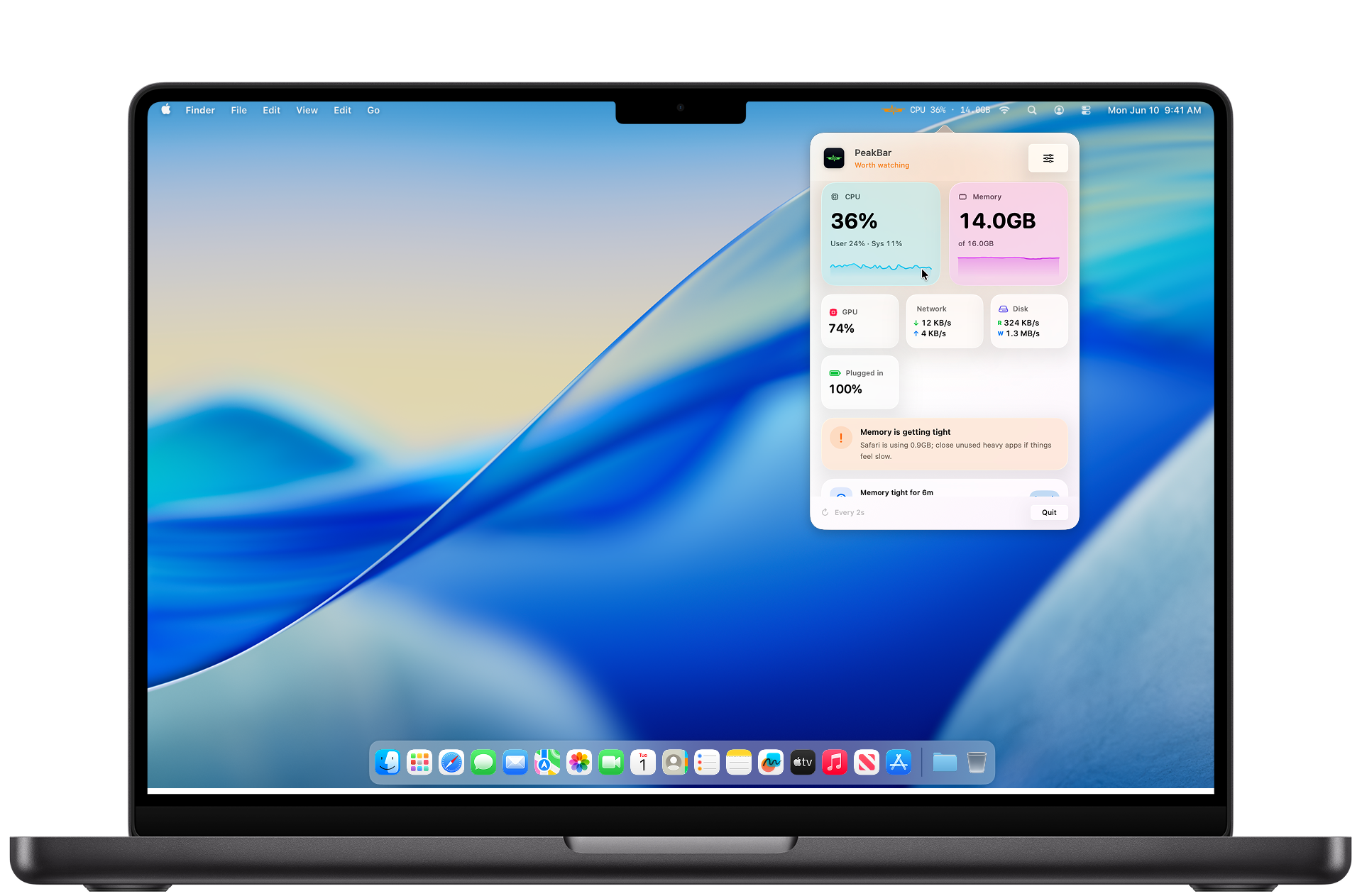
PeakBar lives in your menu bar and watches CPU, memory, GPU, battery and heat in real time. The moment something drags, it names the exact app to blame — and you can just ask it what's wrong. 100% on-device.
Get PeakBar | $5 once
Real-time
CPU · RAM · GPU · disk · net
On-device AI
Ask anything, privately
$5
One, no subscription
Free updates
Auto-updates, forever
THE PART NO OTHER MONITOR HAS
Don't read graphs.Just ask.
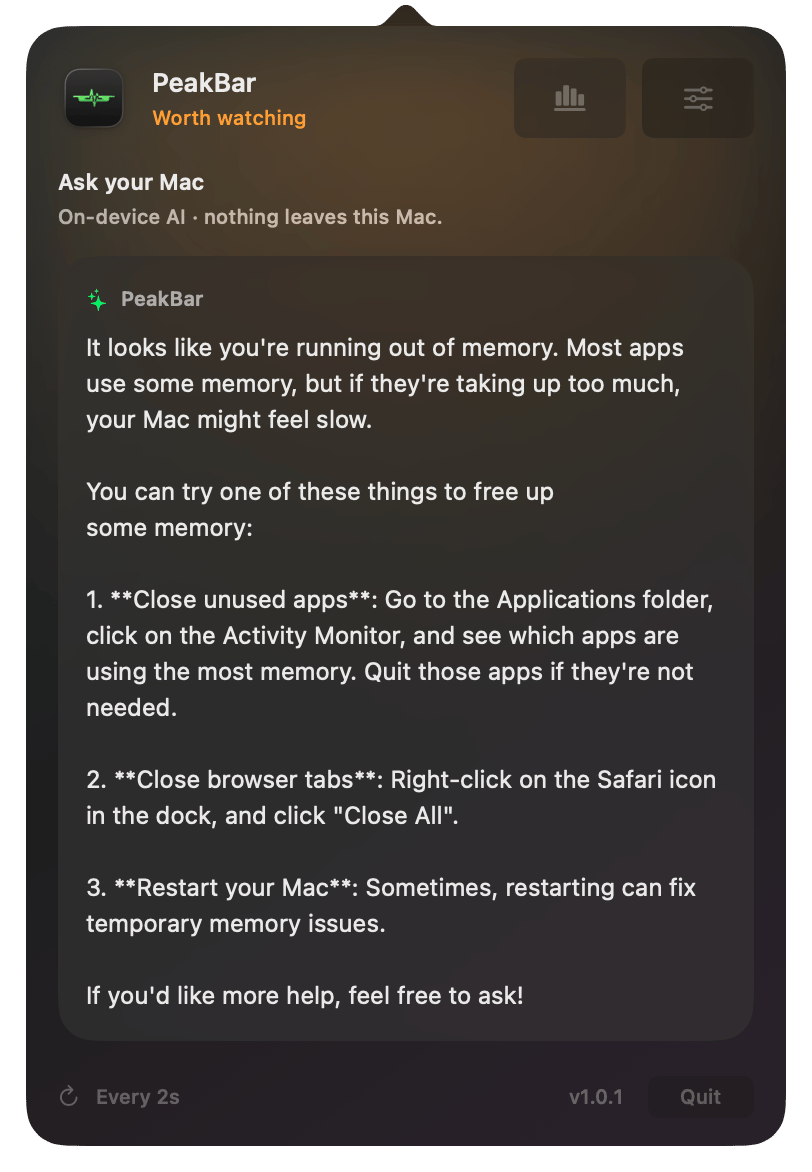
Type a question in plain English — “why is my Mac slow?”, “what's eating my memory?”, “is anything wrong?” — and PeakBar answers using your live stats. It runs entirely on Apple's on-device intelligence, so nothing ever leaves
your Mac.
✓
Real answers, not dashboards.
Plain-English explanations of what's actually happening, right now.
✓
100% private.
No servers, no API keys, no account. The AI lives on
your machine.
NEW
Your Mac's health, scored.
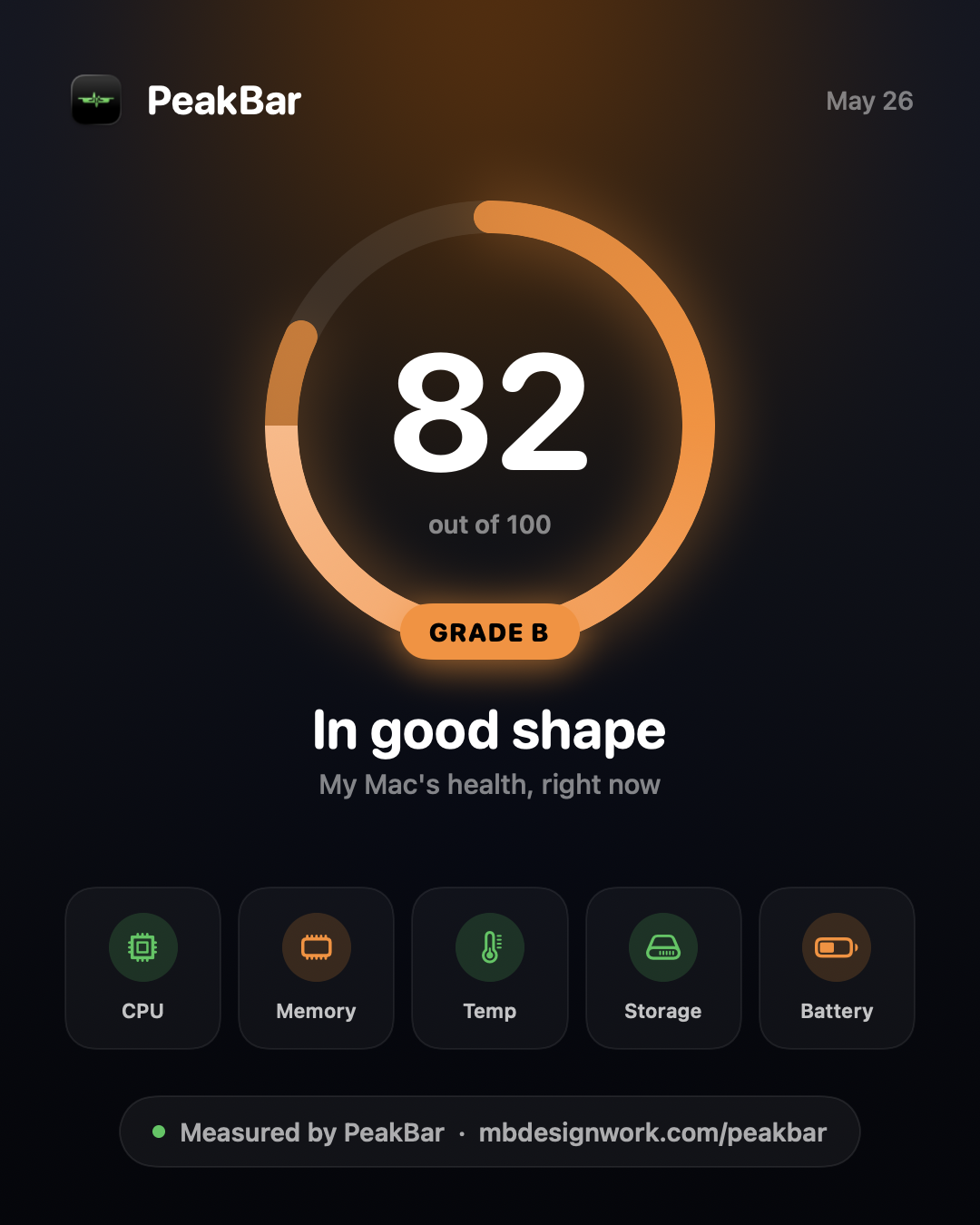
One glance tells you how your Mac is really doing — a single 0–100 score with a letter grade, computed live from CPU, memory, heat, storage and battery health. Tap into any factor to see exactly why.
✓
Transparent.
Every point is explained — no black-box number.
✓
Shareable.
Export a beautiful card and show off your score.
EVERYTHING, AT A GLANCE
Your whole Mac, in your menu bar.
Every vital, one glance.
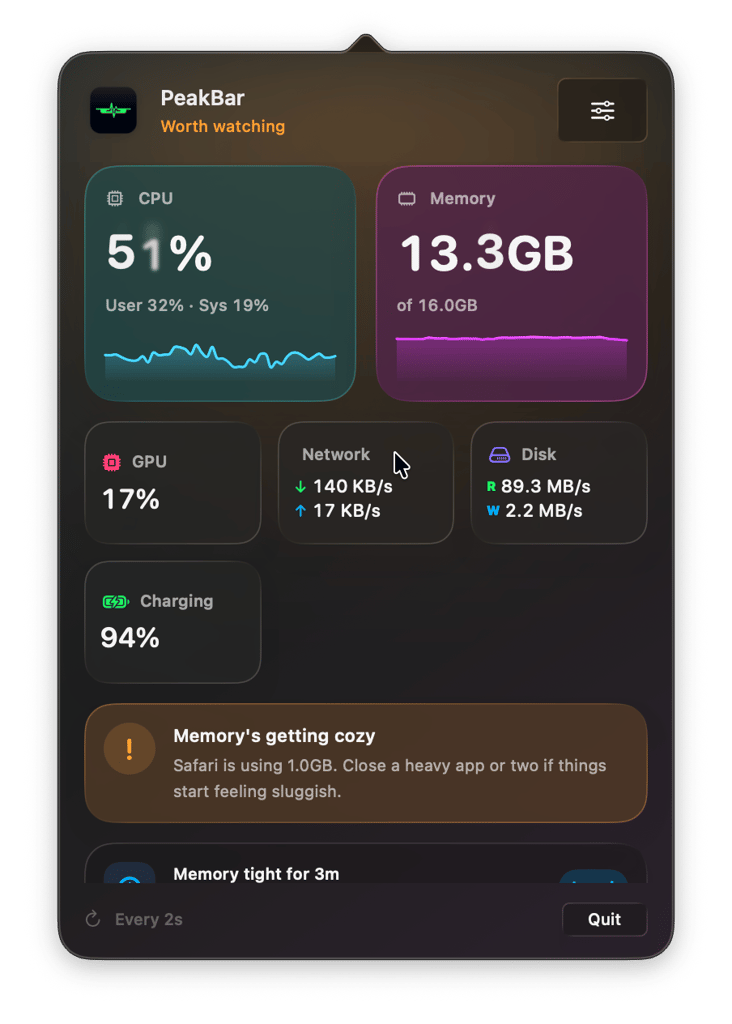
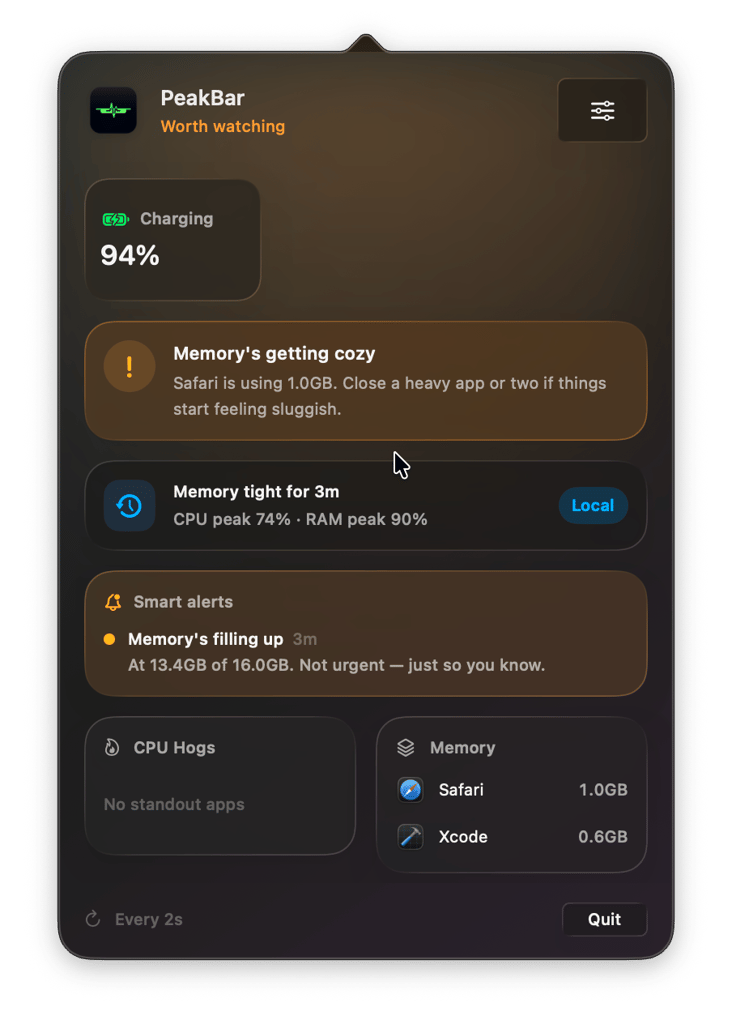
CPU, memory, GPU, network, disk and battery — live, with sparkline history. Click the menu bar, see everything, get back to work.
✓
Live history.
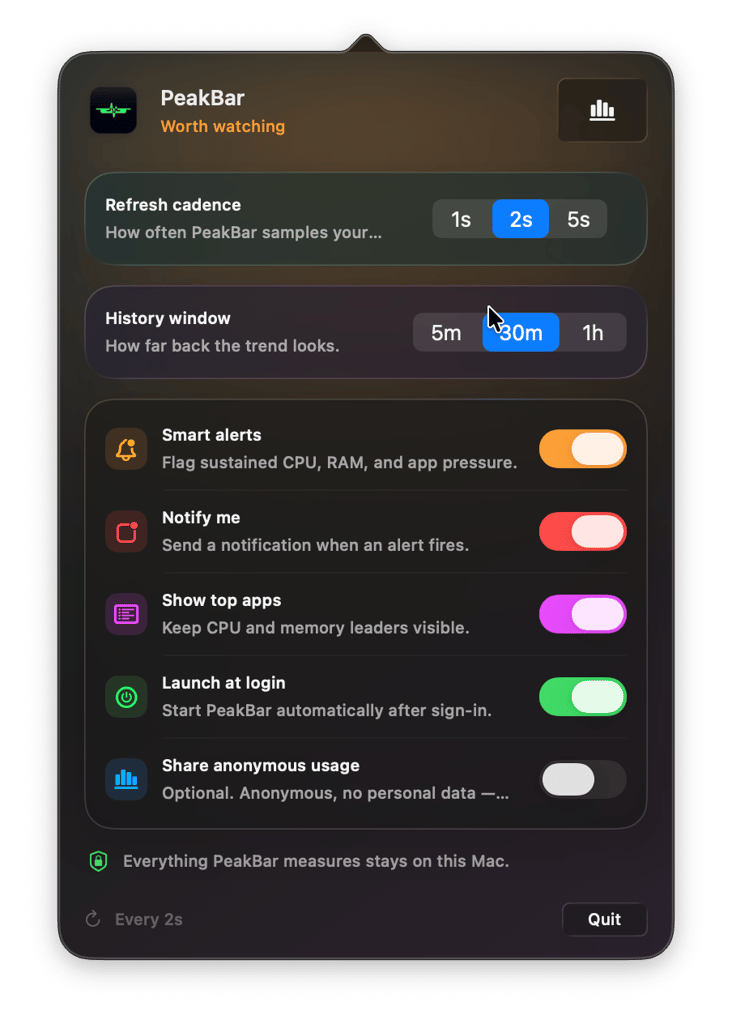
5-minute, 30-minute or 1-hour trends for CPU and memory.
✓
Pick what shows.
CPU%, RAM, GPU, a live graph, or just the icon in the menu bar.
It names the culprit.
PeakBar learns each app's normal usage. When something spikes, it tells you which app — “Safari is at 3× its usual” — and lets you quit it in a tap. It won't ever tell you to quit the app you're actively working in.
✓
Smart alerts.
Flags sustained CPU, RAM and app pressure before it bites.
✓
Anomaly-aware.
Knows the difference between “busy” and “something's wrong.”
Yours, and private.
Tune the refresh rate, history window, alerts and menu-bar style. And everything PeakBar measures stays on your Mac — analytics are off by default and opt-in only.
✓
Global hotkey.
Open it from anywhere with ⌥⌘P — no mouse needed.
✓
Nothing leaves your Mac.
No account, no cloud, no tracking.
IN THE BOX
Small app. Seriously capable.
Live metrics
CPU, memory, GPU, network, disk and battery, every second.
Ask your Mac
On-device AI answers questions about your machine.
Mac Score
A live 0–100 health score with a shareable card.
Smart alerts
Catches sustained pressure and runaway apps before they bite.
Battery health
True capacity and cycle count, not just the charge percentage.
Global hotkey
⌥⌘P opens PeakBar from anywhere, instantly.
Fully private
Nothing leaves your Mac. Analytics are opt-in only.
Auto-updates
New features land automatically. Free, forever.
Featherweight
Native SwiftUI, built for Apple Silicon. Barely there.
PRICING
One coffee. Yours forever.
$5
One time payment · no subscription, ever

Every feature — including the on-device AI
100% private — nothing leaves your Mac
Use it on your Mac, no account required
Get PeakBar
Requires macOS 26 (Tahoe) or later · Apple Silicon
Questions
Good to know.
Will it run on my Mac?
PeakBar needs macOS 26 (Tahoe) or later, on an Apple-Silicon Mac (M-series). It uses macOS 26's Liquid Glass and on-device intelligence, which is why both are required.
Is it really private?
Yes. Everything PeakBar measures stays on your Mac. The “Ask your Mac” AI runs entirely on-device via Apple Intelligence — no servers, no API keys, no account. Anonymous analytics are off by default and fully opt-in.
Is $5 really one-time?
One payment, no subscription. You get every feature and all future updates, free, forever.
How do I get it after buying?
Checkout is handled by Dodo Payments. The moment you pay, you get a download link and a license key by email — open the app, paste the key, done.
Can I get a refund?
Absolutely. If PeakBar isn't for you, email me at mebhargava02@gmail.com and I'll sort you out — no hassle.
How are updates delivered?
PeakBar updates itself automatically (via Sparkle). New features and fixes arrive in the background — you never re-download anything.
Stop guessing why your Mac is slow.
Get PeakBar · $5 once
macOS 26 · Apple Silicon · no subscription

Designed and developed by Mehul Bhargava.

